Your assistant lives inside Telegram. To put it there we need a bot of your own, and the number that identifies you. Both come from Telegram, both take about five minutes, and neither costs anything.
Two values. That is the whole list.
It looks like 8712:AAHf2Kx9Qm. That string is the password your assistant uses to speak as your bot. Created by Telegram, and owned by you.
A plain number, such as 123456789. It is how the assistant knows the messages are yours. Not your username, and not your phone number.
No password, no phone number, no access to your contacts or your chats. The bot can only see messages sent directly to it.
Telegram has a bot that makes bots.
Open Telegram and search for @BotFather. It is Telegram's own account, and it carries a blue verified tick.
There are impostors with similar names, so check the tick.
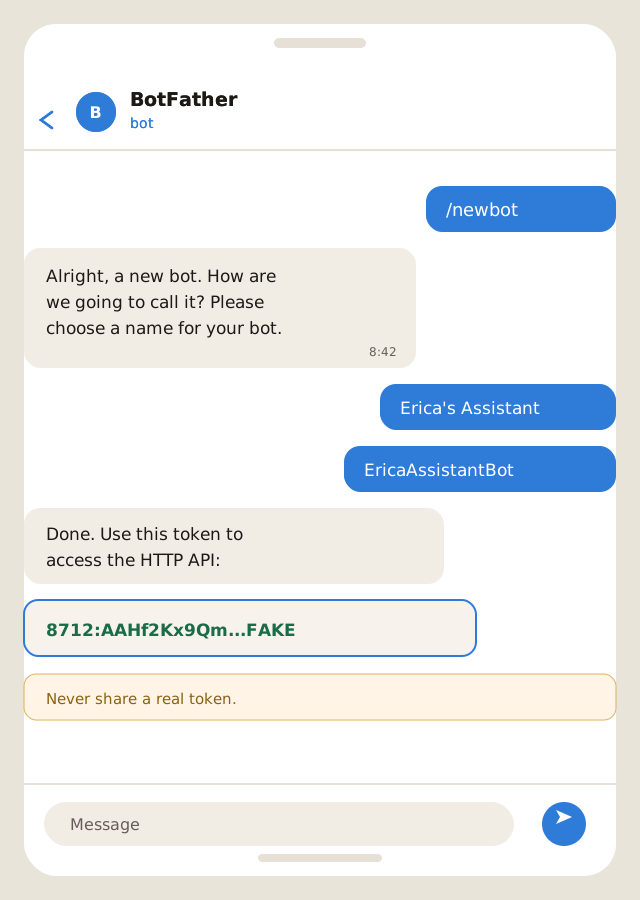
Type the command into the chat with BotFather.
Whatever you like. This is what you will see in your chat list.
It has to be unique across all of Telegram, and it must end in the word bot.
BotFather replies with a token. That is the value we need.
If the username is taken, BotFather says so and you try another. Nothing is broken and nothing is used up.
A number, not a username.
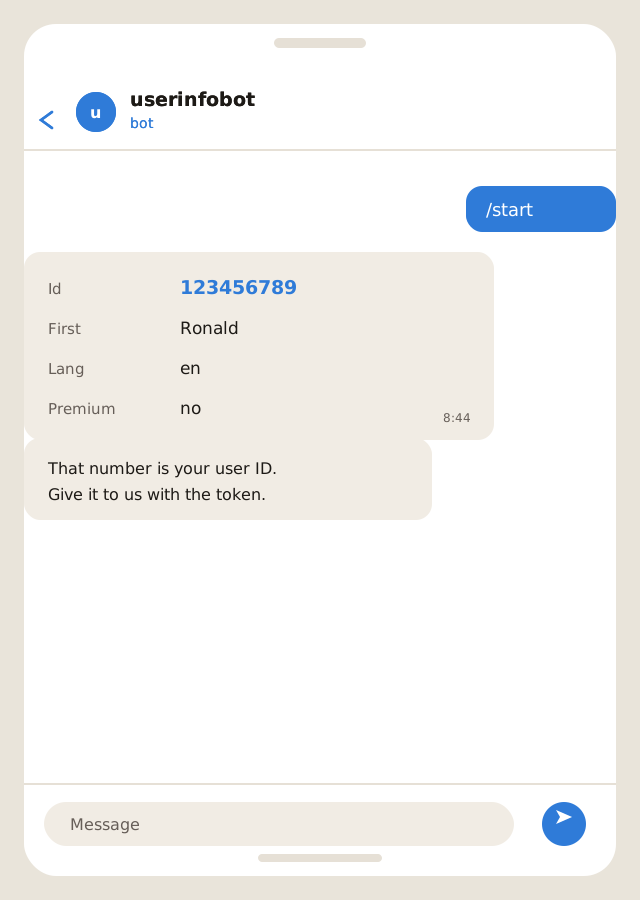
Search Telegram for @userinfobot and press Start. It replies with a small card.
The line marked Id is the number we need.
This is the step people get wrong most often. A username can be changed at any time and is not unique to you forever, so it cannot be used to identify you. Telegram assigns every account a permanent numeric ID instead, and that is what the assistant listens for.
Do not send us a phone number or a username in place of the ID. Neither will work, and the setup stalls until the right number arrives.
Anyone holding your bot token can send and receive messages as your bot. Treat it the way you would treat a password: send it to us directly, and never post it in a group, a forum, a screenshot or a support thread.
If a token ever leaks, send /revoke to BotFather. It issues a new one and the old one stops working immediately. Nothing else about your bot changes.
Not unless you allow it. The assistant is configured to answer only the account IDs you name and ignores everyone else.
Yes. The display name and the username can both be changed, and neither breaks anything. The token and the ID stay valid.
Yes. The assistant has no separate login of its own — it lives in your Telegram.
Ask BotFather for it again with /mybots, or issue a fresh one with /revoke. Losing it is inconvenient, not fatal.
Yes, at any time, with /deletebot. That removes the bot from Telegram permanently.
Send them over and we will build the assistant. If something above does not match what you see in Telegram, tell us which step — Telegram changes its layout from time to time and we would rather fix the guide than have you guess.